Real-Time Oxygen and Pulse Monitoring, Connected to MumtaAI
Connect a supported Bluetooth pulse oximeter to MumtaAI and view your baby's oxygen saturation, pulse rate, and other available measurements in real time.
MumtaAI turns incoming device readings into a clear monitoring experience, helping parents follow live measurements, review session statistics, and keep health records linked to the correct baby profile.
Understand the Readings That Matter
MumtaAI presents the measurements received from the connected oximeter in a clear and easy-to-read format.
Oxygen Saturation — SpO₂
Displays the estimated percentage of oxygen carried in the blood, based on the data received from the connected oximeter.
98%
Pulse Rate
Displays the current pulse rate in beats per minute and updates as new readings are received.
72 BPM
Perfusion Index — PI
Shows the available perfusion-strength value when it is provided by the connected device.
3.5%
Available measurements depend on the connected oximeter model and the data it provides.
A Clear Real-Time Monitoring Experience
After the oximeter is connected, MumtaAI continuously updates the monitoring screen as Bluetooth readings arrive.
Instant Updates
Readings update automatically without manually refreshing the page.
Session Statistics
Minimum, maximum, and average values are calculated during each monitoring session.
Secure History
Saved sessions can be linked to a baby profile and reviewed later by approved caregivers.
Live preview
Oximeter Monitoring
SpO₂
98%
Normal
Pulse
72
BPM
PI
3.5%
Signal
Strong
Session
2:04
Min SpO₂
96%
Max SpO₂
99%
Avg SpO₂
97%
Avg Pulse
71 BPM
Illustrative preview — values animate for demonstration
How to Connect Your Oximeter
Follow these steps to pair a compatible Bluetooth oximeter with MumtaAI.
Turn On the Oximeter
Insert a finger correctly and turn on the pulse oximeter. Keep the device close to the phone, tablet, or computer.
Open MumtaAI
Sign in to MumtaAI, select the correct baby profile, and open the Oximeter page from the dashboard.
Start Device Search
Press “Connect Oximeter.” MumtaAI will open the connection window and search for nearby supported Bluetooth devices.
- Searching for nearby devices...
- Bluetooth must be enabled
- Keep the oximeter nearby
Select the Device
Choose the oximeter from the detected-device list and approve the Bluetooth connection request.
Example: PC-60F_SN804474
Begin Monitoring
After the connection succeeds, the interface changes to the active state and live measurements begin appearing automatically.
The device is active and ready to send readings.
Know Your Connection Status
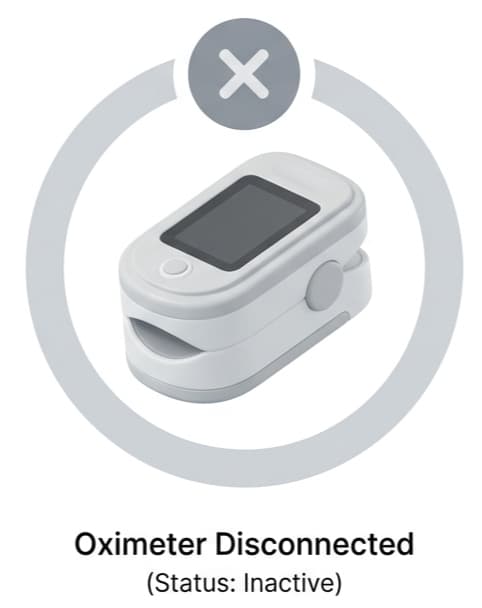
Disconnected
No oximeter is currently connected. Turn on your device and press “Connect Oximeter” to begin searching.
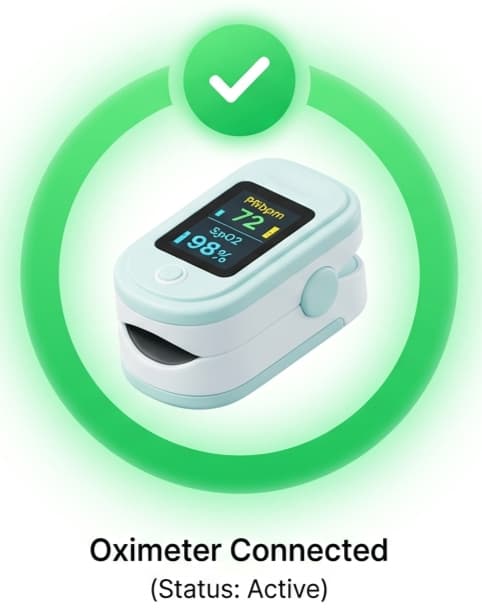
Connected
The oximeter is connected and MumtaAI is receiving live measurements.
- Device active
- Bluetooth connected
- Live data available
What Happens After Connection?
Device Reading
The oximeter measures and broadcasts the available pulse and oxygen data.
Bluetooth Transfer
MumtaAI receives supported device packets through a Bluetooth Low Energy connection.
Live Display
Parsed readings update the user interface immediately without requiring a page refresh.
Session Storage
Valid readings may be stored securely and linked to the selected baby and monitoring session.
Family Review
Approved parents or caregivers can review saved sessions according to their access permissions.
Device and Browser Compatibility
Bluetooth Requirement
The oximeter must support Bluetooth Low Energy and expose data that MumtaAI can interpret.
Browser Support
Web Bluetooth availability differs between browsers and operating systems. Chrome-based browsers generally provide the strongest support on compatible desktop and Android devices.
iPhone and iPad
Direct browser-based Bluetooth support may be limited on iOS.
Device Protocol
Some oximeters use proprietary packet formats. A device must be tested and supported before its readings can be presented reliably.
Designed with Privacy and Responsible Use in Mind
Oximeter sessions are connected to authenticated users and selected baby profiles. Access to stored readings should follow MumtaAI's family and caregiver permission rules.
Important: MumtaAI is not a medical device and does not provide a diagnosis. Oximeter readings may be affected by movement, positioning, circulation, device quality, and other factors. Contact a qualified medical professional if you are concerned about a baby's health or measurements.